
Book in moments
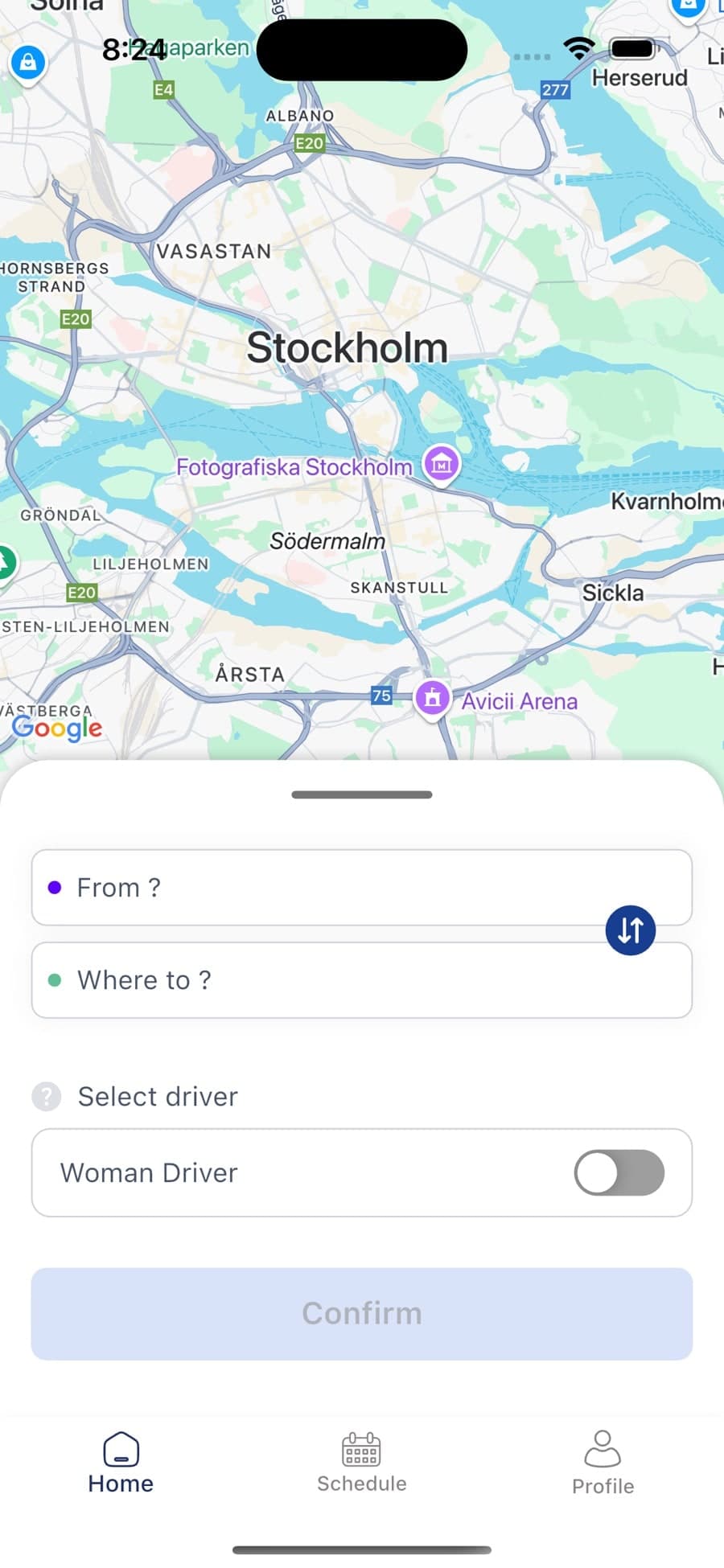
Pickup and destination are the first things you see. Enter both, confirm, and your request is on its way.
Ride-hailing, on your terms
A premium ride experience for passengers and drivers. Book instantly, track in real time, and enjoy a seamless journey from pickup to destination.
Ride classes
Schedule aheadPick your date and time
Why BlueSky
Follow your ride live with accurate ETA updates.
Know your fare before you confirm the trip.
Book now or plan your ride for later.
Emergency tools and verified trip records.
How it works
Booking with BlueSky takes three short steps, whether you need a ride right now or one lined up for later.
01
Open the app and tell it where you are and where you’re headed. Pickup and destination sit side by side on the home screen, right under the map.
From → Where to
02
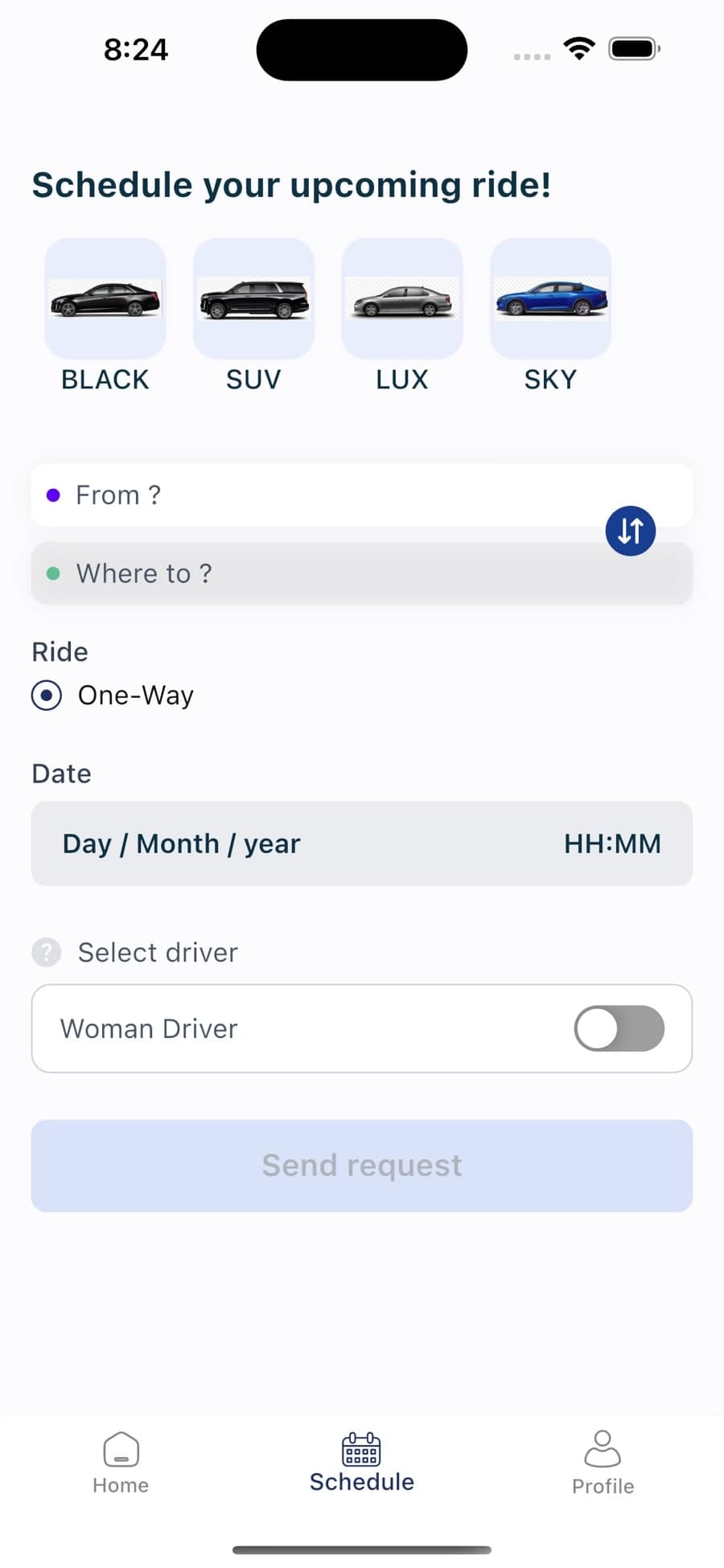
Go now, or open Schedule to pick a ride class and set the date and time that suit you.
Black · SUV · Lux · Sky
03
Review your request and send it. From here it’s simply a matter of getting where you need to be.
One tap to confirm
For passengers
Get where you need to go with upfront fare estimates, live GPS tracking, ride scheduling, and safety features built for every trip.
Get the passenger app
Pickup and destination are the first things you see. Enter both, confirm, and your request is on its way.
Black, SUV, Lux or Sky. Choose the ride that fits the occasion.
Set your preferences as you book, including the option to request a woman driver.
Early flight or late dinner. Schedule a ride for the date and time you choose, well before you need it.
Live arrival updatesTrack your ride on the map in real time, with accurate ETA updates.
Transparent pricingSee an upfront fare estimate before you confirm the trip.
Emergency assistanceSafety features and emergency tools are built into every trip.
For drivers

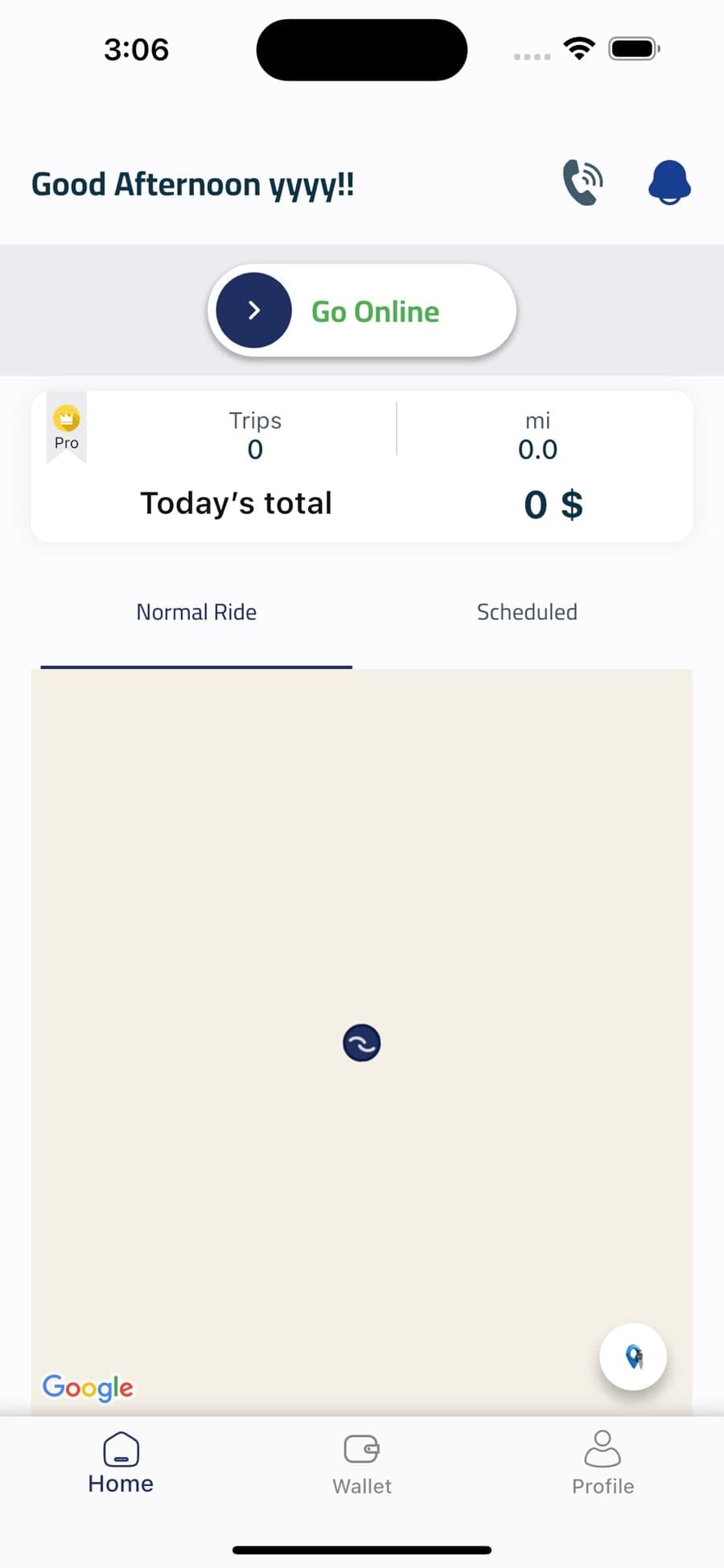
Join our growing driver network and start earning by accepting ride requests anytime, anywhere, with instant trips or scheduled rides.
One switch puts you on the road. Take control of your time and drive on your own terms.
Accept ride requests as they come in, or pick up trips that passengers booked in advance.
Trips, distance and today’s total sit on your home screen, with your wallet one tap away.
Built-in navigation guides you from pickup to drop-off on every trip.
Get the driver app
Screen from the BlueSky Driver app, as published on the App Store.
The BlueSky experience

Your city, at your pace.
FAQ
The essentials on downloading the apps and taking your first trip.
The passenger app is available on the App Store (opens in a new tab) for iPhone and on Google Play (opens in a new tab) for Android.
Yes. Drivers use BlueSky Driver, a dedicated app available on the App Store (opens in a new tab) and on Google Play (opens in a new tab). Make sure you install the one that matches how you plan to use BlueSky.
Open the passenger app, enter your pickup point in “From” and your destination in “Where to”, then confirm your request. To book in advance, open the Schedule tab and set the date and time.
Yes. BlueSky shows an upfront fare estimate, so you know the price before you confirm the trip.
Yes. You can follow your ride live with GPS tracking and ETA updates, and every trip includes emergency tools and a verified trip record.
Download BlueSky Driver, create your account and follow the steps in the app. Once you’re set up, switch to Go Online to start receiving ride requests, both instant and scheduled.

Two apps. One BlueSky.
Passengers
Download the passenger app and request your first ride, now or for later.
Drivers
Download BlueSky Driver, go online when you’re ready and start accepting ride requests.